Sonensei.ch
> ls ~/tools

Tools for
working with data

I'm Peter Gürtler, a software developer. These are tools I built for my own work and published as open source: a JSON editor for your IDE and browser, and a few programs for the terminal.

Featured · version 0.3.1

JSON Canopy

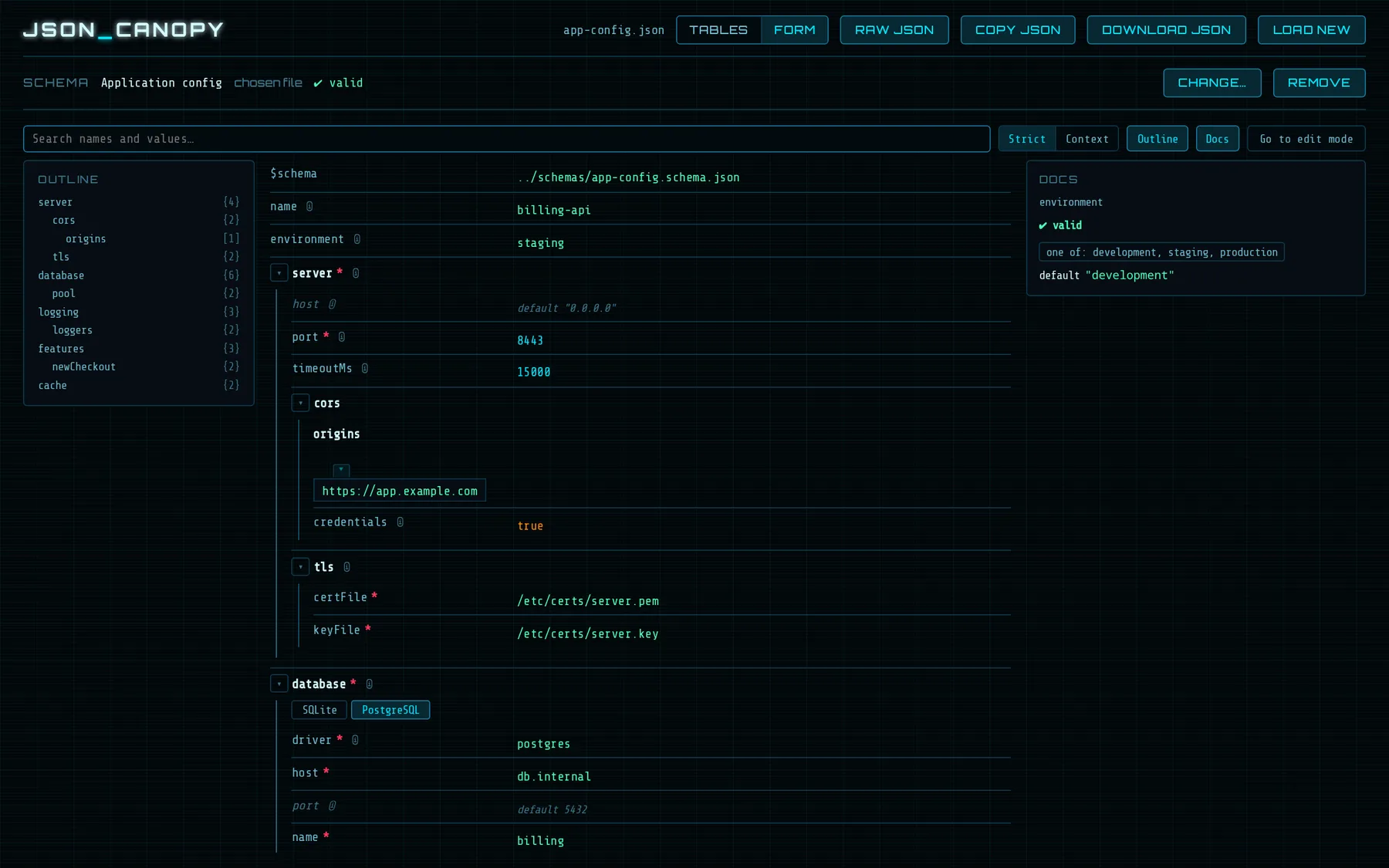
Explore and edit JSON as nested tables or as a form instead of raw text. Search keeps the structure around each match. Load a JSON Schema and Canopy marks problems, offers enum values and optional keys, and shows each field's documentation.

  • IntelliJ IDEA & JetBrains IDEs
  • VS Code
  • Any browser
  • Apache 2.0
JSON Canopy showing a configuration file as a form, with an outline on the left and schema docs on the right

Terminal & workflow tools

Small, self-contained programs. Most are a single Python file that uses only the standard library, so installing one means copying one file.

git-hist

  • new
  • Python 3
  • terminal
  • MIT

An interactive, two-pane git history browser for the terminal. The left pane shows the commit graph, the right pane the full git show of the selected commit. The right pane follows as you move through the history.

  • Works as git hist, with any revisions and paths git log takes.
  • Regex search in either pane, with highlighting and smart case.
  • Copy a commit hash with y; resize the panes with < / >.
  • One file, standard library only (curses).
curl -o ~/.local/bin/git-hist \
  https://raw.githubusercontent.com/OldPeasant/git-hist/main/git-hist
chmod +x ~/.local/bin/git-hist
git hist
git-hist on GitHub

TFP · Task Flow Protocol

  • new
  • Python 3
  • git
  • AI agents
  • Apache 2.0

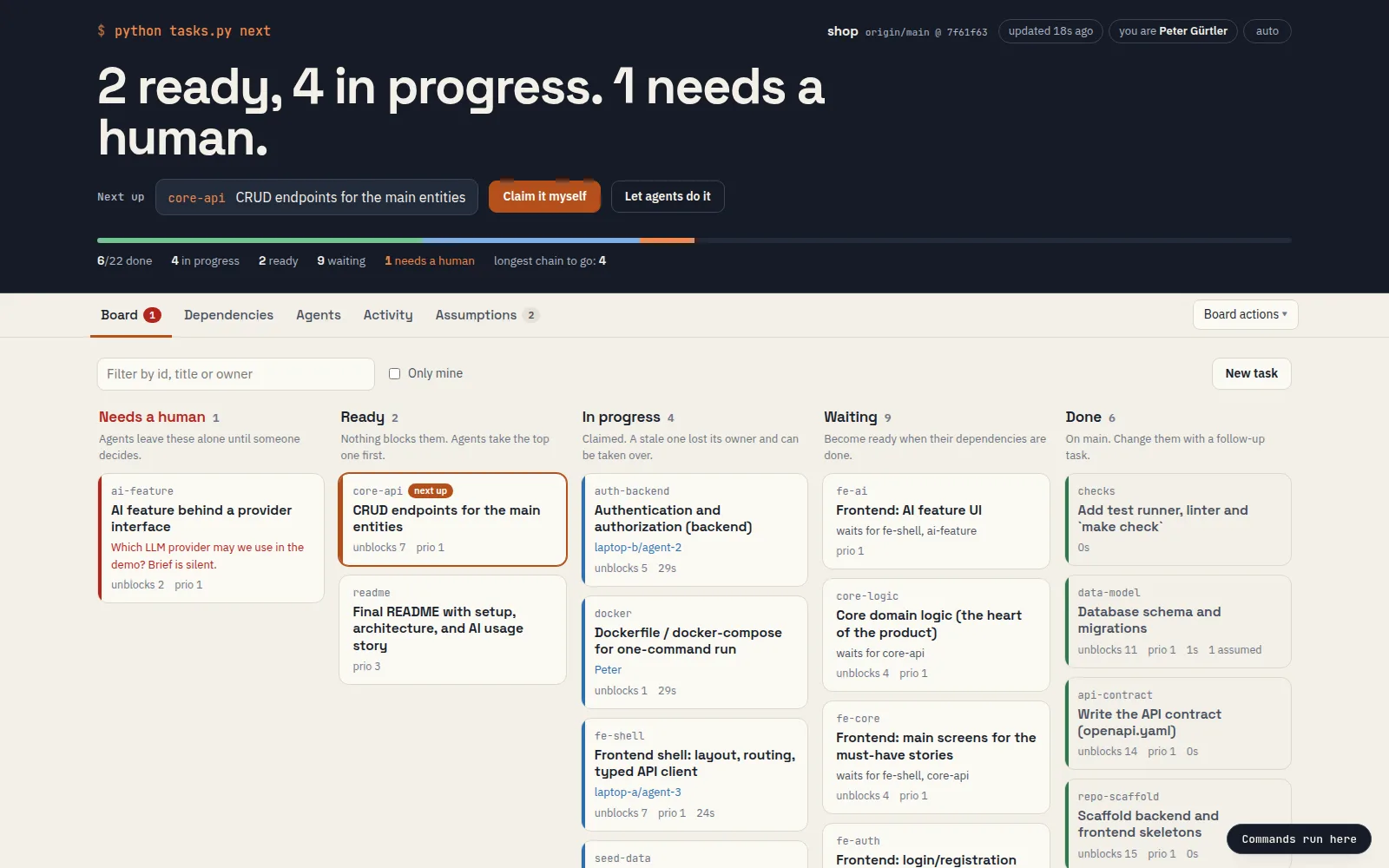
A git-native protocol for teams of people and AI coding agents. Agents pull the next ready task from a board in the repo: one Markdown file per task, claimed atomically with git push. Needs only Python 3 and git.

  • Tasks with dependencies; tasks.py next hands out the next task that is ready.
  • agents.py starts several Claude Code agents, each in its own clone, working through the board.
  • A check runs on the merged result before a task can be marked done, which catches merge conflicts and broken builds.
  • Leases and wip/ backups: when a laptop dies, another agent takes over its task where it stopped.
  • A local dashboard: board, dependency graph, agents, and the assumptions agents made while you were away.
  • Can work across several repositories and sync the work back to each of them.
The TFP dashboard: tasks that need a person, are ready, in progress, waiting or done
The dashboard on a 22-task starter board, with agents on two laptops.

lyon

  • Python 3
  • terminal
  • Linux

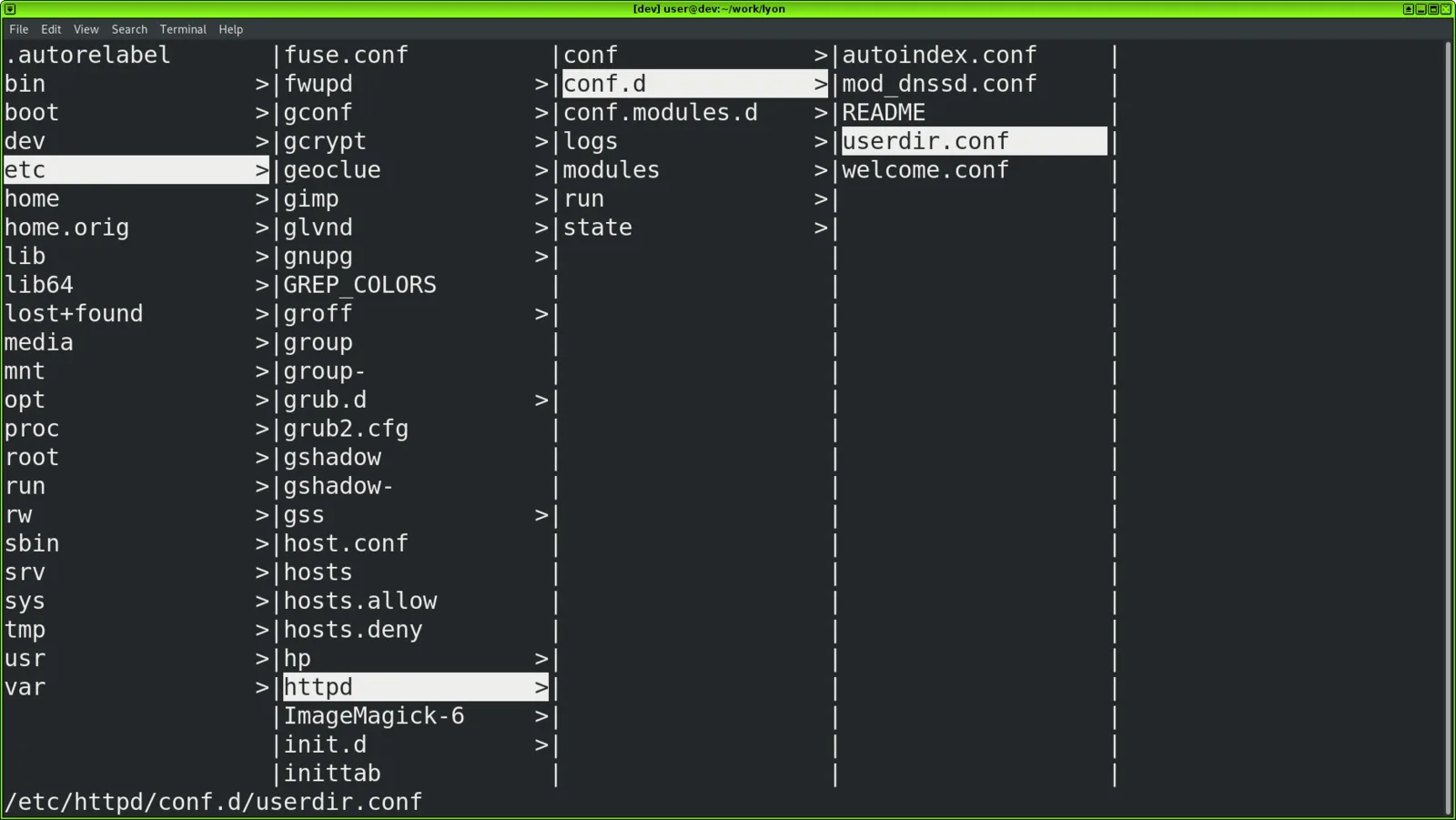
A file browser for the shell. Folders open in columns side by side, so you always see where you are and what's next to it. You navigate with the arrow keys or vi keys.

  • h j k l or arrows to move; Shift+arrows to page.
  • v views a file with less, e edits it with vi.
  • s opens a shell in the current folder.
  • + / - change the column width; ? shows the help.
lyon on GitHub
lyon showing /etc, /etc/httpd and /etc/httpd/conf.d in side-by-side columns
Columns from / down to /etc/httpd/conf.d/userdir.conf.

jill

  • Python 3
  • terminal
  • Linux

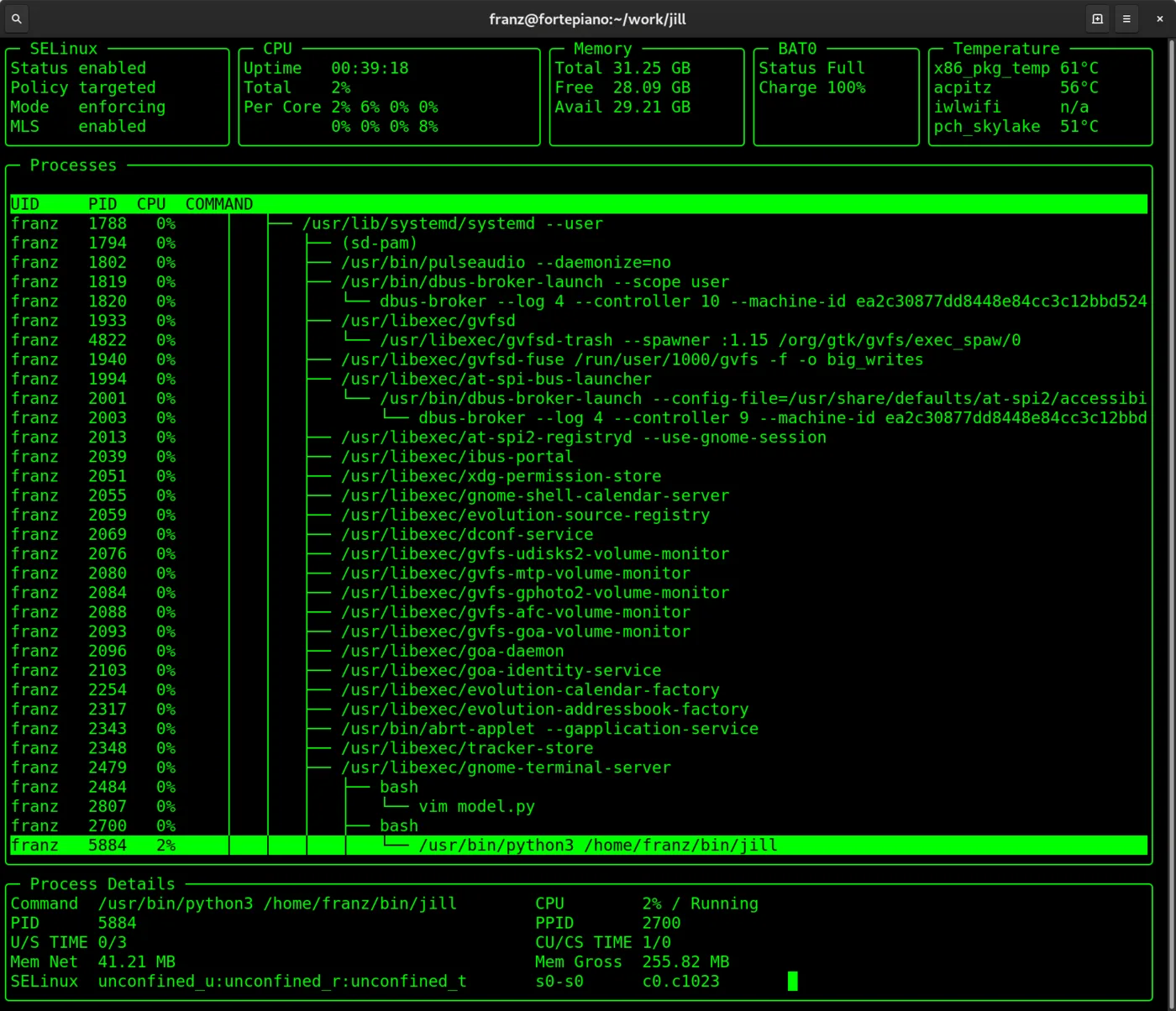
A Linux system explorer for the terminal. Jill reads most of its information from /proc and shows it on one screen.

  • CPU load per core, memory, uptime, battery and temperature sensors.
  • SELinux status and the SELinux context of each process.
  • All processes as a tree, with details for the selected process: command line, CPU times, net and gross memory.
  • Packaged as a single file (dist/jill).
jill on GitHub
jill showing SELinux, CPU, memory, battery and temperature panels above a process tree and process details
System panels, the process tree and details for the selected process.

ginsp

  • Python 3
  • git
  • library

A git release inspector. It walks the commit graph from release branches and go-live tags to work out which release a feature branch will ship in, and says when git alone can't tell.

ginsp on GitHub

More on GitHub

Source code, issues and the rest of my repositories are on my GitHub profile.

github.com/OldPeasant